Some time back, I posted a rough attempt to convert a video into a cartoon-style equivalent; here. That technique converted the video into a series of still images and ran each through ImageMagick sketch filter. The result looked something like this:
Since then, I play with this time and time again, revising it to something like this:
Again, recently I thought of another technique. Often, cartoon coloring schemes look 'flattened', meaning red'ish elements are colored red, blue'ish colored blue, so on and so forth. The 'gex' filter can perform such a conversion pixel-by-pixel and seems promising. It would require applying a series of filters, for each color so I thought I'd give it a try on simple grayscale first...if it showed promise then expand on a colorized equivalent. Here is what I got, seems promising:
The technique, in a nutshell, is to convert the video to grayscale, then perform a selective filter on each pixel. Pixels within the [0,50] luminosity range get assigned 0, pixels within the (50,100) range get assigned 50;
Notice, it's a chain of less-than-equal-to conditions of the form if(condition,X,Y) which means if condition set pixel to X, otherwise Y. To execute the series of else conditions, a nesting of alternative conditions are replaced for Y. Ugly, but effective and given it doesn't require converting a video to frames and back again a ton faster; still slow'ish, but way faster than the alternative.
Seems to me that this shows a good deal of promise. The result is dark'ish, but that could be addressed by migrating the pixel assignments to the ceiling of the range, or perhaps applying lightening filter pre-filtering could also address it. Seems plausible for converting a video to a grayscale cartoon'ish equivalent, using the same technique for color seems like a good next step.
The year would be 1985, Raybans and Rubiks cubes were all the rage and a iconic MTV video hit stormed the MTV circuit.
This one-hit-wonder holds a special place in my heart. The black-n-white sketch effect to this day is pretty spectacular, thought I'd take a crack at cartoonizing a video using FFMpeg and Imagemagick. I've yet to get an equivalent effect, but it's still a fun exercise.
Let's use the amazing movie remake 'A Man On Fire' as our source video.
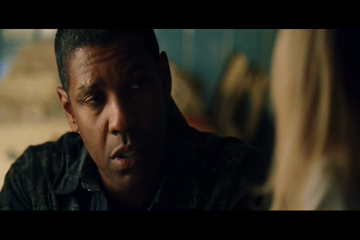
Let's say we have a scene like this.
And we wish to make it look like this.
Doing this for each frame of the video should give us a sketch or cartoon effect, like a comic book effect. A far cry from 'Take On Me' but perhaps a step in the right path.
While FFMpeg has performed miracles in the past, we'll have to pair it up with ImageMagick to get this effect. In short, we'll extract the video into a series of png frames, run each frame through ImageMagick to cartoonize the frame, then we'll reassemble the images into a video with FFMpeg once again.