Sunday, September 29, 2019

FFMpeg + Imagemagick Perspective Mapping

Calvin and Hobbes shared many a lesson in perspective.  While this post will be far from quality life lessons, it will focus on perspectives...specifically image processing mapping perspectives.

In it's simplest form, this can take the form of projecting a video on a angular surface giving the appearance of casting it on a three-dimensional surface.  Such feats are not directly supported by FFMpeg, but pairing it with Imagemagick and you can accomplish it.

Let's jump ahead to see what we're trying to accomplish, then walk through the steps to do so.

Let's say we want to project a video like this;
Why would you want to do such a thing?  Whelp, perhaps you have a sales video and while the presenter is pitching your product you wish to show your product in a sub-window and rather than do so in a flat 2D manner you want it to look like it has some depth.  Or, perhaps you cast it on a computer/phone/tablet screen (real or virtual).  You can do so by overlaying the perspective mapping atop your full video.

So, how do you accomplish it?  Let's call it a three-step process;

  1. extract all the frames from the input video using FFMpeg.
  2. feed all the frames through the Imagemagick distort perspective utility
  3. take the resultant frames and rejoin back into the output video.
Step 1 -- Extract the Frames/Audio
$ ffmpeg -y -i ~/Downloads/BigBuckBunny.mp4 frame%05d.png audio.mp3

Since this process requires disassembly of a video to raw frames, later reassembling and reassembly will include audio it's important to retain the same frame rate as the input video, otherwise your audio will be out of sync in the output video.  For example, our input video is 24fps, suppose when you reassemble the frames at 25fps the video will be ahead of the audio.

Step 2 -- Run through Distort Perspective
Let's jump into the command first, then spend a bit of time describing how  we came up with the specifics.  Our input video is 1280x720 and we wish to maintain those dimensions and project the video on a diagonal plane within the video.

$ find . -name "frame*png" -exec convert {} -matte -virtual-pixel transparent -distort Perspective '0,0,170,0 0,720,170,720 1280,720,854,500 1280,0,854,100' -background none {} \;

The distort perspective utility essentially requires you provide a mapping from the video frame coordinates to the mapping coordinates.  In our example;

  • orig frame (0,0) => mapFrame (170,0)
  • orig frame (0,720) => mapFrame (170,720)
  • orig frame (1280,720) => mapFrame (854,500)
  • orig frame (1280,0) => mapFrame (854,100)

Details for this distortion effect can be found here;


Step 3 -- Reassemble Frames to Output Video
$ ffmpeg -r 24/1 -i frame%05d.png -i audio.mp3 -c:a copy output.mp4

Specifying the same framerate as our input video (e.g. 24fps) we can reassemble the frames and stay synchronized with the audio.

The result will look something like this;


Now go ahead and make something cool.
Cheers.


Sunday, September 22, 2019

FFMpeg Blur Filter


Whether it be a loose Johnson, nip slip, license plate, or simply a desire to draw the viewers attention to a specific emphasis of a video a blur filter comes in handy at times.  Being able to apply a contoured filter is even better.  This post is focused on FFMpegs BoxBlur filter which does exactly that.  Let's get to it.

The filter takes in two inputs: 1) a b/w filter map, and 2) the video file.  The filter map defines the blur/unblur areas within the video frame.

Let's look at a simple rectangular blur mask;


$ ffmpeg -i clip.mp4 -loop 1 -i boxFilter.png -filter_complex "[0:v][1:v]alphamerge,hue=s=0,boxblur=5[fg]; [0:v][fg]overlay[v]" -map "[v]" -map 0:a -c:a copy output1.mp4

Results in a blurred bordered video as follows:

Similarly, we can apply a circular mask filter;

$ ffmpeg -i clip.mp4 -loop 1 -i circleFilter.png -filter_complex "[0:v][1:v]alphamerge,hue=s=0,boxblur=5[fg]; [0:v][fg]overlay[v]" -map "[v]" -map 0:a -c:a copy output0.mp4


The filter mask can be as complex as you need.

Cheers.

Sunday, September 15, 2019

Pausing/Resuming Processes

For those of you not born in the Elizabethan Era you may be surprised to learn that the norm back in the ‘days of old’ were crowds of folks using a shared computer server. If you had administration rights, you could horde the server resources and divvy out the scraps to the serfs but you’d need to prepare for a revolt from the sun-deprived masses.


I recall one of our professors had a long-running (weeks, if not months) simulation that he ran on the server. It ate up memory and cpu resources like cookie monster in a room full of Oreos. Rather than disrupt the masses, he scheduled it to run in the wee hours and paused it during peak hours. How he did it always elluded me, but I’ve recently found a means to do just that, unclear if it’s particularly how he did it.

Most all of your are somewhat familiar with the ‘kill’ command. ‘kill -9 -1’ kills all of your processes, ‘kill -9 [pid]’ more typically used to kill a particular process. You supply a kill signal, and this specifically allows you to pause and resume a process as you wish.

‘kill –STOP [pid]’ will suspend a process, ‘kill –CONT [pid]’ will resume it. Slap this pair in a crontab and you could suspend/resume a particular process based on time/day/…

$ kill -STOP [pid]

This will pause the specified process, allocated memory will be transferred to disk during this hiatus, freeing it up for current users.

$ kill -CONT [pid]

Following with this command later in the day will resume the process, letting it pick up where it left off.  A four-day process can be turned on/off over the course of the month, making use of idle time to run without disrupting current users.

Cheers.

Sunday, September 8, 2019

FFMpeg Deshake Filter


While  I can't speak for others, I've got a pretty shaky hand when shooting videos.  As a result, I tend to set up a tripod and leave the stability to good old mother Earth.

But, if you've got a shaky video, perhaps due to an over-abundance of caffeine then this post may be for you.

Ffmpeg provides a deshake video filter which may reduce the shakiness of a video.  According to the source code, it applies a SAD block-matching motion compensation.  In other words, it compares sequential frames, attempts to detect the vector of the motion, and correct it.

This won't, by any means, eliminate the shakiness entirely (in most cases), but it certainly reduces it substantially, perhaps enough to remove it as a distraction.

Let's go through an example; starting with  a static image, generate a short video, add artificial shakiness, then run it through the deshake video filter.  Lastly, we'll lay the shaky and deshaky videos side-by-side for comparison.

Let's get started.

$ ffmpeg -loop 1 -i image.jpg -c:v libx264 -t 30 -pix_fmt yuv420p -vf scale=640:480 input.mp4

Apply some shakiness;

$ ffmpeg -i input.mp4 -filter:v "crop=in_w/2:in_h/2:(in_w-out_w)/2+((in_w-out_w)/2)*sin(0.015*random(1)):(in_h-out_h)/2 +((in_h-out_h)/2)*sin(0.015*random(n))" shake.mp4

Pass the shaky video through the deshake video filter;
$ ffmpeg -i shake.mp4 -vf deshake deshake.mp4

Finally, lay these two side by side;
$ ffmpeg -i shake.mp4 -i deshake.mp4 -filter_complex '[0:v]pad=iw*2:ih[int];[int][1:v]overlay=W/2:0[vid]' -map [vid] -c:v libx264 -crf 23 -preset veryfast compare.mp4

Resulting in the following video;


Saturday, August 31, 2019

Cartoonize Video Using FFMpeg and Imagemagick

The year would be 1985, Raybans and Rubiks cubes were all the rage and a iconic MTV video hit stormed the MTV circuit.
This one-hit-wonder holds a special place in my heart.  The black-n-white sketch effect to this day is pretty spectacular, thought I'd take a crack at cartoonizing a video using FFMpeg and Imagemagick.  I've yet to get an equivalent effect, but it's still a fun exercise.

Let's use the amazing movie remake 'A Man On Fire' as our source video.

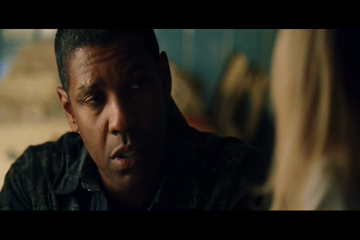
 Let's say we have a scene like this.


And we wish to make it look like this.


Doing this for each frame of the video should give us a sketch or cartoon effect, like a comic book effect.  A far cry from 'Take On Me' but perhaps a step in the right path.

While FFMpeg has performed miracles in the past, we'll have to pair it up with ImageMagick to get this effect.  In short, we'll extract the video into a series of png frames, run each frame through ImageMagick to cartoonize the frame, then we'll reassemble the images into a video with FFMpeg once again.

Say we have an input video file: ManOnFire.mpg

Let's grab a clip;
$ ffmpeg -i ManOnFire.mpg -ss 373 -t 3 -strict -2 clip01.mp4

Then let's extract it into a series of frames;

$ ffmpeg -y -i clip01.mp4 -an -vf scale=360x240 clip01.mp4-f%05d.png -strict -2 clip01.mp4-audio.mp3

Then, let's convert each frame into a cartoonized frame; grab a sandwich and a beer, this step is pretty time-intensive.

$ find . -name "clip01.mp4-*.png" -exec convert {} -sketch 0x20+135 {} \;

Re-add the audio:
$ ffmpeg -y -r 30000/1001 -i clip01.mp4-f%05d.png -i clip01.mp4-audio.mp3 -c:a copy cartoon01.mp4


Do this for a series of clips and you've got a cartoon highlight real of an exceptional movie.

Yes, it's true; Cartoon Denzel has as much swagger as real-life Denzel.

Sunday, August 25, 2019

My Mentor -- Pam Ogaard Padgett


Let me introduce you to a remarkable lady, Pam Ogaard Padgett.

Mrs. O, how we tended to refer to her in years past, was my first college professor and directly responsible for me pursuing Computer Science as a career.  I owe much to this lady: a challenging and fulfilling career, a recognition of what makes a great teacher, a respect for a love for mathematics, and indirectly the relationship to the woman I married, the car I drive and the freedoms that of the engineering lifestyle I live.

Three women are responsible for taking an immature, unfocused, impulsive young adult and largely molding him into the man he is today.  The first two; my mother and Pam, got me on the right track.  The third, my wife, accepted the tiresome task years later and continues to work on me to this day.

Throughout high school I was a terrible student.  A 'last minute Charlie' when it came to homework, test prep, and pretty much anything academic.  I'm convinced that my high school teachers took into consideration that if they didn't pass me, they'd be penalized by having me yet another year. 🙂

While I liked computers from an early'ish age, I don't think I considered it a career or profession 'til much later in my life.  I felt college was my course in life, not exactly knowing why, and I was certainly conflicted; "How could a C-student who didn't tend to apply himself ever graduate college?".  But, college was the plan, and the summer was focused on paying for it.

I worked heavy equipment construction for the summer under the supervision of my father.  Long days of hard work, academia was furthest from my (or anyone else's) mind.  Twelve hour days + commuting time left little time to conduct deep thought into life choices or career path.  But, the summer was coming to an end, and the fall semester was approaching and little Grant had absolutely no idea what he wanted to be when he grew up.  I liked computers, but I liked all kinds of things, so I didn't feel particularly drawn to them.

Fall is coming, applications were accepted, course selection looming.  A college course work booklet sat on the nightstand like many textbooks of the past.  You know you should crack it open and make a decision, but years of hard-wired procrastination tendencies took hold.  Pair that with not knowing what I wanted to be certainly complicated matters.

This is when Pam and my mother set the course for the rest of my life.  Such an influential moment of a man's life should be painted in words vibrantly and with detail.  "It was a Thursday evening on a fleeting summer,..." a more talented story teller may spin such a yarn, but the years and/or mileage on the old brain prevent recalling in detail and I'm not much for fibbing on details.

Still working long days meant leaving at 5:30-6 am and returning around 7 pm typically.  Any career counseling or questions during typical business hours were impractical.  It would be decades before the advent of cell phones and while the field office had a phone there was little time for personal calls and frankly they were frowned upon.  So, my mother took the reigns a bit.  "You like computers, don't you"; asked one evening, "yes".  Brief, directed, and short; not really a significant discussion and I honestly thought nothing of it at the time.  If life were produced in the manner of Hollywood films, at this moment the lighting would have slightly intensified, a slight soundtrack would be played and dramatic pauses would have been scripted; in a manner of saying 'Something important happened here'.

The following evening I came home, covered in dirt, oil, grease and an odor resembling the stink of a mastodon.  I hustled into the shower and headed upstairs to grab dinner, my mother handed me a slip of paper afterwards with a name and telephone number.  "She's expecting your call" my mother instructed.  This was my first encounter with Mrs O.  Someone who was willing to give out her personal phone number, giving up a chunk of her evening to talk to someone she had never met simply to provide some guidance to a would-be student.  I remember little of the conversation, vaguely asking what I'd refer to as 'dumb questions' at the time.  I didn't know how computers could become a career or whether I'd be a fit for them.  This was a pre-geek-chiche culture, the television had Magnum PI on it, not Numbers.  Think 'Revenge of the Nerds' rather than Abby from 'NCIS'.  The computer industry was still forming, the field wasn't as full-formed as it is today.  Hobbyists with computers in their garage for fun and NASA, a kid like me didn't see many opportunities in between.  Mrs O filled in some of the gaps, patiently and clearly.  At the end of the conversation I left with a course list and a mild interest in 'giving it a try'.

I first began as her student, taking introductory computer classes.  Programming in PASCAL, later MODULA-2 followed by assembler....the language any computer god-fearing mortal fears and respects.  Mrs O was and incredible instructor, a dedicated teacher and a patient presenter.  Classes filled with high-strung young adults who could likely have benefited from a Ritalin-dipped veterinarian prescribed darting.  Mrs O's classes were structured, planned and insightful.  While I tolerated other classes we sincerely looked forward to Mrs O's.  We learned what it meant to be a mathematician, an engineer, and honestly a better student.  Young adults are horrifying students, my opinion anyway, and I have considered writing formal apologies to many of my past instructors.  Best case, I'm bored and distracted, worst case I'm bored and disruptive.  College is the place you are when you begin growing into the adult you wish to become.  Attention-grabbing smart-ass remarks were met with patience and redirection back to the lesson.  Mrs O was a talented and experienced instructor, the way she handled our immature hijinx both defused and taught; not just the lesson at hand, but how adults should behave.

As the year went on, a true mentorship evolved.  Between classes we'd drop by Mrs O's office and chat, sometimes about the coursework, sometimes just social.  Her computer lab became our computer lab, we began taking pride in it and took responsibility for keeping it in shape; custodial, security and socially.  We became 'lab rats' in a form, doing our work as well as seeking out new challenges.  We helped underclass students when we could, mostly modeling the give-forward attitude that Mrs O lead by.  In time, Mrs O taught me to take the 'hard work' characteristic that I portrayed in physical labor into the academic form.  I worked harder than I had ever in high school, became more organized, more focused.  Without that, a 110% probability that I wouldn't have completed college.  Mrs O lead by example, always prepared for the day, always working hard.

At BSC, a 2-year college, Mrs O's goal was typically to set the stage for achieving an associates degree with the intent of transferring on to a 4-year university for continued education.  A bazillion questions from a bazillion students, Mrs O provided guidance as encouragement.  She coordinated visiting UND and NDSU with the potential transfer students.  On the visit, she met with university faculty to ensure BSC curriculum continued to satisfy the transfer university needs.  The trip was productive, fun and essential in helping transitioning to the next step in academia.  Mrs O made time to organize as well as participate.  She made the time for it, recognized a need and made it happen.  Review as many job descriptions as you wish for college professors, taking your students on a field trip to ease the decision and transition isn't anywhere on them.  That's above and beyond.

At UND, 3 hours away, a continued hectic workload, I only infrequently seen my mentor.  At the Kirkwood Mall on one, or so, occasions.  Life gets in the way.  Mileposts grow between you and time is lost.  If you're lucky, you take the time to reflect how you've gotten to where you are and recognize the people that were instrumental in getting there.  A better person would give thanks frequently and in-person and perhaps that day will come.

The last memory I will share, in close, concerns Richard Dreyfuss.  Mrs O and a number of us went to "Mr. Holland's Opus", a pretty great movie, and when we left the theater Mrs O (who primarily considers herself a math teacher I infer) said "How does a math teacher get an opus?".  Whelp, speaking for some of your students, who couldn't carry a tune in a bucket nor clap at a steady rate; we can only give you our eternal thanks, introverts by nature, our success is your success, our accomplishments are your accomplishments, our love for the profession was inspired by your love for the profession.

Thank you for setting me on this never-ending, ever-loving journey that is 'Computer Science'.


Sunday, August 18, 2019

Real-Time Data Analysis From Debug Logs


Debug logs contain a plethora of business and system information.  Most commonly, the logs are cached and post processed, but occasionally it's valuable to process the logs as they are being appended to.  For instance, monitoring the current system state from logs requires a means to read the logs as they are being updated, extract log events and calculating system metrics from the events.

Let's use a simple example, one that monitors (or follows) a 'top.dat' file which is generated by piping 'top' to the file.  The python monitoring utility will process the 'top.dat' file log events as they are written.  Since we wish to monitor the log file(s) and display metrics along the way, we need at least two threads of control: one to monitor and extract information from the 'top.dat' file, the other to display info to the user.  This example calculates the cpu load by extracting the idle percentage from top.

     1 #!/usr/bin/python
     2 import logging
     3 import threading
     4 import time
     5 import glob;
     6 import re;
     7 import datetime;
     8
     9 class Display:
    10   def __init__(self):
    11     self.lock_ = threading.Lock();
    12     self.map_=dict();
    13     pass;
    14   
    15   def update(self,key,val):
    16     self.lock_.acquire();
    17     self.map_[key]=val;
    18     self.lock_.release();
    19   
    20   def display(self):
    21     self.lock_.acquire();
    22     print "---------------"
    23     print datetime.datetime.now();
    24     for k in self.map_.keys():
    25       print "%s : %s"%(k,self.map_[k]);
    26     print "\n"
    27     self.lock_.release();
    28
    29 display=Display();
    30
    31 class fileProcessor:
    32   def __init__(self, fileName): 
    33     self.fileName_=fileName;
    34     logging.info("following %s"%(fileName));
    35     self.follow(open(self.fileName_,'r'));
    36
    37   def follow(self, fp):
    38     fp.seek(0,2);
    39     while True:
    40         line = fp.readline();
    41         if not line:
    42             time.sleep(0.1);
    43             continue;
    44         self.handle(line);
    45
    46   def handle(self, line):
    47 #   logging.info("processing line %s"%(line));
    48     m=re.match('.+, (.+) id,.*',line);
    49     if (m):
    50 #     print m.group(0);
    51       cpuLoad=100.0-float(m.group(1));
    52       print "cpuLoad: %s"%(cpuLoad);
    53       display.update('CpuLoad',cpuLoad);
    54
    55 def thread_function(name):
    56   logging.info("running %s"%(name));
    57   obj=fileProcessor(name);
    58
    59 if __name__ == "__main__":
    60   format = "%(asctime)s: %(message)s";
    61   logging.basicConfig(format=format, level=logging.INFO, datefmt="%H:%M:%S");
    62
    63   logging.info("main process initializing");
    64   t1=threading.Thread(target=thread_function, args=('./top.dat',));
    65   t1.start();
    66   logging.info("main process terminating");

Not terribly interesting, and you could readily accomplish the same thing on the main thread, there is only one file to monitor.

But suppose you wish to monitor X files, then you really need threading.

     1 #!/usr/bin/python
     2 import logging
     3 import threading
     4 import time
     5 import glob;
     6 import re;
     7 import datetime;
     8
     9 class Display:
    10   def __init__(self):
    11     self.lock_ = threading.Lock();
    12     self.map_=dict();
    13     pass;
    14   
    15   def update(self,key,val):
    16     self.lock_.acquire();
    17     self.map_[key]=val;
    18     self.lock_.release();
    19   
    20   def display(self):
    21     self.lock_.acquire();
    22     print "---------------"
    23     print datetime.datetime.now();
    24     for k in self.map_.keys():
    25       print "%s : %s"%(k,self.map_[k]);
    26     print "\n"
    27     self.lock_.release();
    28
    29 display=Display();
    30
    31 class fileProcessor:
    32   def __init__(self, fileName): 
    33     self.fileName_=fileName;
    34     logging.info("following %s"%(fileName));
    35     self.follow(open(self.fileName_,'r'));
    36
    37   def follow(self, fp):
    38     fp.seek(0,2);
    39     while True:
    40         line = fp.readline();
    41         if not line:
    42             time.sleep(0.1);
    43             continue;
    44         self.handle(line);
    45
    46   def handle(self, line):
    47 #   logging.info("processing line %s"%(line));
    48     m=re.match('.+, (.+) id,.*',line);
    49     if (m):
    50 #     print m.group(0);
    51       cpuLoad=100.0-float(m.group(1));
    52       print "cpuLoad: %s"%(cpuLoad);
    53       display.update('CpuLoad',cpuLoad);
    54
    55 def thread_function(name):
    56   logging.info("running %s"%(name));
    57   obj=fileProcessor(name);
    58
    59 if __name__ == "__main__":
    60   format = "%(asctime)s: %(message)s";
    61   logging.basicConfig(format=format, level=logging.INFO, datefmt="%H:%M:%S");
    62
    63   logging.info("main process initializing");
    64   D=dict();
    65   while(1):
    66     fList=glob.glob("./*.dat");
    67     logging.info("fList: %s"%(str(fList)));
    68      for e in fList:
    69       if not e in D.keys():
    70         logging.info("starting thread for '%s'"%(e));
    71         D[e]=threading.Thread(target=thread_function, args=(e,));
    72         D[e].start();
    73     display.display();
    74     time.sleep(3);
    75   logging.info("main process terminating");

If you had 100 '*.dat' files the above would spawn 100 threads, each following a dedicated file, each updating the display which is rendered every 3 seconds.

Just recently put something similar together to monitor dozens of user logs and tracking uptime and job submission events. Works real well, hope you have equal success.

Cheers.